GuitarTuna: Tune & Play Guitar
- 4.5
- Rating
- 100.00M
- Installs
- Free
- Price

 Analysis by App-foxy
I was looking for a guitar tool that could do more than react to a single note, and GuitarTuna quickly became the app I reached for most often. It combines tuning with learning support, so I can move from fixing an out-of-tune string to checking a chord or practicing a song without changing apps. That sounds simple, but the difference is noticeable when I am trying to practice in a short, slightly chaotic part of the day.
GuitarTuna is a free tools app from Yousician Ltd. for Android and iOS. It is suitable for Everyone, runs on Android 8.0 or later, and has grown to over 100 million installs. Its average rating is 4.5 from around 2.6 million ratings, which matches my impression that it is easy for beginners to pick up while still being useful as a quick utility for more experienced players.
I would not describe it as a full replacement for a teacher, a dedicated curriculum, or a high-end tuner. Its real strength is the space between those options: it gives a new guitarist a friendly starting point and gives an experienced player a fast way to tune, check a shape, or work through a familiar song. The main question is whether you want that convenience enough to accept the app’s extra learning content and in-app purchase structure.
In-Depth Coverage of GuitarTuna: Tune & Play Guitar
How GuitarTuna feels to use in everyday practice
When I use GuitarTuna during ordinary practice, the tuner’s clearest benefit is that it helps me start without turning setup into a separate project. I’ll look at how that quick tuning step fits into a short session, including a simple way to avoid chasing confusing readings before moving on to the learning tools.
Readability and navigation are strongest when you want one clear task
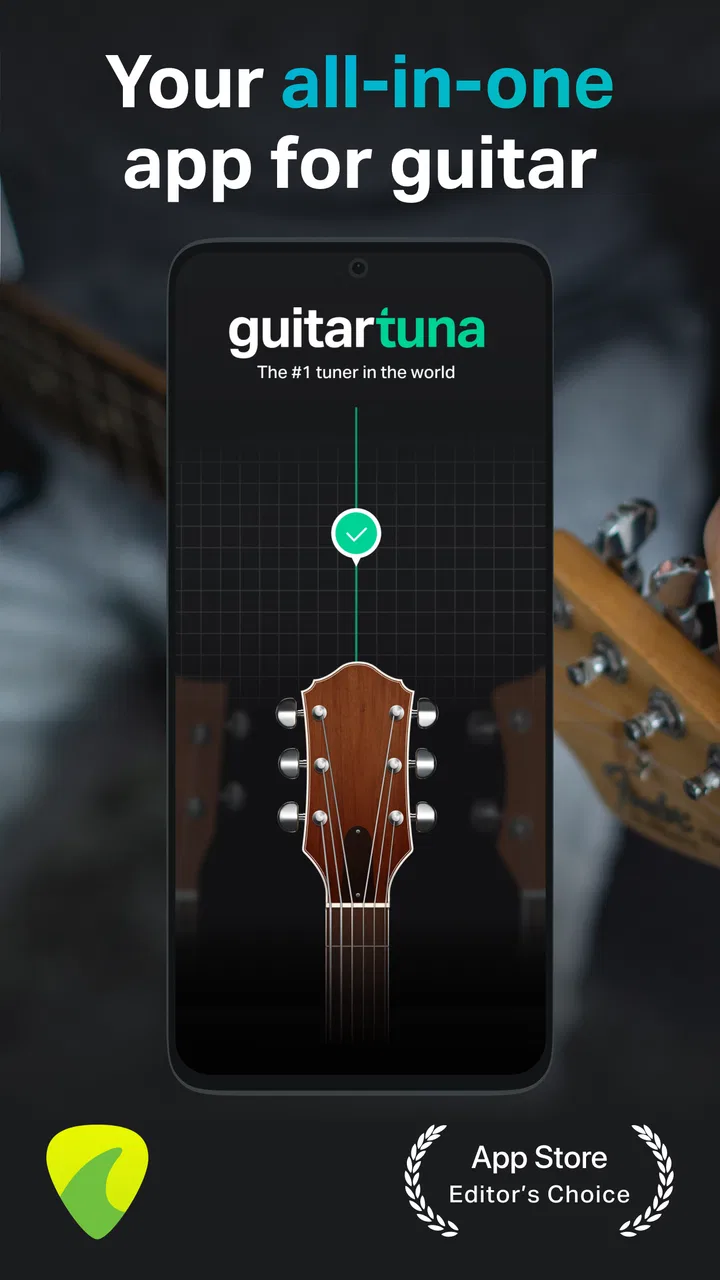
The first thing I noticed is that the app presents tuning as a focused activity rather than burying it inside a crowded collection of menus. When I pick up the guitar, I can open the tuner, play a string, and watch the guidance move toward the correct pitch. That direct flow matters for beginners because tuning can already feel uncertain: the player is learning the instrument while also trying to understand whether the sound is too high or too low.
The interface is generally easier to understand than a tuner that only shows a technical meter. The visual feedback gives me a quick sense of what to do next, while the listening experience confirms whether the string is moving in the right direction. I still pay attention to the actual note, but the app reduces the need to interpret a complicated display.
Navigation becomes broader once I move beyond basic tuning. The app includes tabs, tutorials, chord-related learning, and song practice, so there are more choices than in a single-purpose tuner. That is useful when I want to continue practicing, but it can also create a small decision problem for someone who only opened the app to tune. My advice is to treat the tuner as the home base and explore the other areas gradually rather than trying to understand everything in one session.
For a beginner, the most helpful workflow is to tune first, then choose one small learning goal. I might tune the guitar, check a chord I keep muting, and practice that shape before attempting a whole song. This keeps the app from becoming a menu of possibilities and turns it into a practical routine. The best experience comes from using one feature at a time instead of treating the app as an entire music school.
Text and visual organization are approachable, but readability still depends on the phone and the environment. A smaller screen can make any music app feel more compressed, and a bright outdoor setting may make visual indicators harder to follow. I found that the app is clearest when I hold the phone where I can glance at it without turning the guitar or losing my hand position.
Motor and sensory considerations during tuning
Tuning is often the most accessible part of the experience because it does not require fast tapping or complex gestures. I can place the phone nearby, play one string, and make small adjustments to the tuning peg. That makes it suitable for someone who is still developing finger strength or coordination, although the physical act of turning guitar pegs remains a limitation of the instrument rather than something the app can remove.
The app’s audio-led nature is important. It listens to the guitar and uses sound as part of the feedback, so a quiet room makes the process easier. In a noisy bedroom, shared living space, or busy rehearsal room, I may need to move closer to the phone or repeat a string several times. Someone with limited hearing may find the visual response more useful than the audio, but the tuning process still depends on the phone detecting the instrument clearly.
I also found that posture affects the experience more than I expected. If the phone is lying flat on a table, I have to look down repeatedly while holding the guitar. A stand or a stable raised position makes the session more comfortable and reduces unnecessary head movement. This is a small practical adjustment, but it helps people who tire easily or have difficulty shifting attention between the fretboard and the screen.
Chord learning introduces more physical demand than tuning. The app can show or explain a chord, but I still have to place my fingers accurately, press the strings, and change shapes. That means it supports learning without eliminating the motor challenge. For someone with limited finger mobility, I would use it as a reference and progress at a slower pace rather than expecting the app to adapt every chord to the player.
One useful habit is to use the tuner before judging your own playing. A poorly tuned guitar can make a correct chord sound wrong, which is discouraging for a new player. Tuning first separates an instrument problem from a hand-position problem. That simple sequence can prevent a lot of unnecessary frustration, especially when the player is practicing alone and has no teacher nearby to identify the cause.
Situational access: where the app fits well and where it struggles
GuitarTuna works particularly well in short practice windows. I can use it before leaving for work, during a break, or while sitting with the guitar for only a few minutes. A realistic example is an evening session after the household has settled down: I tune quietly, review one chord transition, and use a tab to attempt part of a song. The app gives that session enough structure without requiring me to prepare a lesson in advance.
You May Also Like

 Blood Strike: 2.5 Anniversary
Blood Strike’s Loadouts Turn Every Drop Into a Tactical Gamble
A close look at Blood Strike’s custom loadouts: how fast access to signature weapons reshapes its battle royale rhythm, rewards preparation, and narrows the gap between fights.

 Pandora - Music & Podcasts
Pandora’s Music Is Easy to Start, but Harder to Recover
Pandora’s strength is its low-effort path from a seed to a station. Its weak spot is how much confidence it asks you to place in connection, setup, and quiet recovery.

 8 Ball Pool
 Is Built on Rivalries, Rematches, and Routine
A close look at the rivalries, rematches, shared routines, and unanswered safety questions that turn a quick pool match into a persistent mobile community.

 Samsung Music
’s Quiet Strength Is Playing What You Already Own
Its reach comes less from spectacle than from dependable access to a personal library. That simplicity is both the app’s strongest retention engine and its ceiling.

 AccuWeather: Weather Radar
AccuWeather Review: A Quick, Clear Forecast for Everyday Decisions
For everyday plans, the best forecast is the one you can understand quickly. AccuWeather makes rain timing, radar, and local conditions easy to act on, with a few trade-offs.

 Hill Climb Racing
Why Hill Climb Racing Still Turns Crashes Into One More Run
A tiny car, a bumpy hill and one more upgrade: Hill Climb Racing keeps resurfacing because its simple chaos makes every near-miss feel personal.
More From Our News Desk



It is also useful when traveling with a guitar. A physical tuner is one more item to remember, while a phone is usually already nearby. That convenience is the reason I would recommend it even to players who already understand tuning. The app is not necessarily more precise than every dedicated tuner, but it is available when the dedicated device is in a drawer at home.
For shared spaces, the situation is mixed. The app’s tuner can be used at a low volume or with visual attention, but the guitar itself is not silent. Tutorials and song practice may also be less comfortable when other people are sleeping or working. Headphones can help with instructional audio, yet they do not solve the sound produced by the acoustic guitar. In a library, office, or quiet classroom, a dedicated silent practice setup is more appropriate.
Outdoor use is possible, but sunlight, wind, and surrounding sound can make both the screen and audio feedback less dependable. I would tune before going outside if I had the choice. If I had to tune outdoors, I would position the phone in shade, keep the guitar close to the microphone, and pluck gently but clearly. These are not special app settings; they are simple ways to give the tuner a better chance of hearing the string.
The app can suit different learning speeds because I decide whether to spend a minute tuning or a longer period with songs and chords. That flexibility is valuable for people who cannot maintain a fixed daily schedule. However, flexibility can also become a weakness. Without a personal practice plan, it is easy to jump from tuning to tabs to tutorials without spending enough time repeating the difficult part.
Tabs, tutorials, and the trade-off between guidance and independence
The learning side is most helpful when I already have a specific goal. If I want to learn a chord, understand a tab, or work on a favorite song, the app gives me a place to begin. I appreciate that it connects the technical task of tuning with the musical reason for tuning: I am not just adjusting strings, I am preparing to play something.
At the same time, tabs can be less friendly than guided instruction for a complete beginner. A tab may show where to place fingers, but it does not automatically explain posture, pressure, rhythm, or why a note is buzzing. Tutorials can fill some of that gap, yet a screen cannot watch my wrist or correct tension in real time. I would use this app to support lessons or careful self-practice, not as proof that every technique is being performed safely.
One of my favorite workflows is to isolate a troublesome transition instead of repeatedly playing the entire song. I tune, identify the two chords that cause the pause, check each shape, and practice switching between them slowly. Only after the movement feels more familiar do I return to the tab. This approach makes the app more useful than simply scrolling through songs because it turns its reference material into a targeted practice tool.
Another practical tip is to compare the app’s guidance with the sound of the guitar rather than following the screen blindly. A player may accidentally pluck two strings together or touch a neighboring string, producing confusing feedback. Muting unused strings with the fretting hand and plucking one string at a time makes tuning more reliable. This is especially important for beginners who assume every unusual indication means the guitar needs a major adjustment.
The free entry point makes experimentation easy, but the presence of in-app purchases changes how I evaluate the learning features. The app is free to install, while individual in-app purchases range from $0.99 to $139.99. I would begin with the freely available tools and decide whether the added material genuinely fits my practice before paying. A subscription-style learning commitment can make sense for someone who wants structured guidance, but it is harder to justify if I only need an occasional tuner.
Remaining barriers and when another option is better
The biggest barrier is that the app still assumes a guitar, a reasonably capable phone, and enough quiet for the microphone to hear the instrument. It cannot make a difficult instrument easier to hold, and it cannot replace a physical tuner when the phone is unavailable, out of battery, or overwhelmed by background noise. For dependable stage use, I would still prefer a dedicated clip-on tuner or pedal because it is designed for quick viewing and controlled performance conditions.
Players who want advanced technical control may also prefer a specialist tuner. A dedicated device can feel more immediate, especially when I need to tune repeatedly between songs or work in a loud environment. GuitarTuna is better for general practice and learning than for building a professional live rig around one phone.
There is also a motivational barrier. The app makes starting easy, but it does not guarantee consistency. A beginner may enjoy the friendly guidance and still stall when chord changes remain physically uncomfortable. I would pair it with a simple notebook or a short weekly goal: one chord transition, one rhythm pattern, or one section of a song. That external structure prevents the app from becoming something I open only to tune.
People with sensory sensitivities should consider the combination of guitar sound, phone audio, visual movement, and repeated feedback. The experience can be adjusted informally by lowering volume, choosing a calmer room, and focusing on the visual tuner, but the app should not be treated as a universal solution for every sensory need. The physical instrument remains part of the experience, and that matters when deciding whether this is a comfortable practice method.
For users who rely heavily on assistive technologies, I would test the exact phone setup before committing to paid learning content. The app is clearly designed to be approachable, but practical usability can vary with screen size, device settings, hearing, vision, and motor control. That is not a criticism unique to this product; it is a reminder that a music app has to work alongside the player’s body, instrument, and surroundings.
Who should use it and who should skip it
I recommend GuitarTuna to a first-time guitarist who wants an uncomplicated way to tune and a gentle route into chords, tabs, and song practice. It is also a good fit for casual players who need a reliable phone-based tool before a quick session. The large user base, with over 100 million installs, reflects how naturally the app fits that everyday role.
I would be more cautious recommending it to someone who only wants a minimalist tuner with no learning extras. That player may find the broader app unnecessary and may prefer a dedicated tuner or a smaller utility. I would also steer a serious live performer toward hardware designed for stage visibility and noise, while keeping this app as a convenient backup for home practice.
Parents and beginners may appreciate the Everyone content rating, but the age label does not turn the app into a complete teaching plan. A young player may still need help holding the guitar, tuning safely, understanding finger pressure, and building a sensible practice routine. The app can make those first steps less intimidating, but another person’s guidance may be more valuable than another screen prompt.
My inclusive verdict after using the full toolkit
GuitarTuna succeeds because it removes several small obstacles between deciding to practice and actually playing. The tuner is quick to understand, the learning tools give beginners somewhere to go next, and the phone format makes the app convenient in ordinary situations. I especially like the way tuning, chords, tabs, and tutorials can form one short practice loop instead of separate tasks scattered across different tools.
Its inclusive value comes from flexibility rather than from solving every access problem. I can slow down, repeat a chord, focus on visual feedback, or use the app for only a few minutes. Those choices help people with different schedules, confidence levels, and learning preferences. Still, noise, screen visibility, physical finger demands, and reliance on a microphone remain real boundaries.
The current version is 7.88.0, and the app remains free to start, with optional purchases that can reach $139.99 per item. I would not buy anything immediately. I would first test the tuner in my usual room, try the learning flow with one concrete song goal, and decide whether the extra guidance improves my practice enough to warrant spending money.
Overall, I see GuitarTuna as a particularly strong companion for home guitar practice, not an all-purpose answer for every player or setting. If you want a friendly tuner that can lead naturally into learning, I think it is worth installing. If you need stage-grade hardware, highly specialized tuning control, or a fully personalized teacher, choose another primary tool and use this one only where its convenience genuinely helps.
FAQs for GuitarTuna: Tune & Play Guitar
01What is GuitarTuna and who is it for?
GuitarTuna is a highly popular tuning app designed for guitar players of all levels. Whether you're a beginner learning the basics or a seasoned musician, this app provides precise tuning capabilities for various string instruments. It also includes features like chord libraries and games to enhance your musical skills.
02Is GuitarTuna free to use, or are there in-app purchases?
GuitarTuna offers a free version with basic tuning functions. However, there are in-app purchases available for advanced features, such as additional tuning modes and educational games. These purchases enhance the app's functionality, making it a versatile tool for both practicing musicians and beginners.
03How accurate is the tuning feature in GuitarTuna?
GuitarTuna is renowned for its high accuracy in tuning, thanks to its award-winning audio recognition technology. It ensures that your instrument is perfectly tuned, providing a reliable experience whether you're using a guitar, ukulele, or another string instrument. Users consistently praise its precision and ease of use.
04What additional features does GuitarTuna offer?
Beyond its primary tuning function, GuitarTuna includes a metronome, chord library, and interactive games designed to improve your musical skills. These features are ideal for both learning and practice, providing a comprehensive toolkit for musicians to enhance their playing technique and musical knowledge.
05Can GuitarTuna be used offline?
Yes, GuitarTuna can be used offline, making it convenient for tuning your instrument anywhere, without the need for an internet connection. This feature is particularly useful for musicians on the go, ensuring that you can always have a perfectly tuned instrument ready to play.
Pros
- User-friendly interface for easy navigation.
- Accurate tuning across various instruments.
- Includes a metronome and chord library.
- Works offline for tuning anywhere.
- Customizable settings for precision tuning.
Cons
- Ads can be intrusive during use.
- Limited features in the free version.
- Requires in-app purchases for full access.
- Some users report occasional lag.
- Not all features are beginner-friendly.

GuitarTuna: Tune & Play Guitar
Gallery